
Utilities · Mac · Windows · Linux

Roomy

Find out where your disk went.

See what's filling your disk, then clear out the build folders and caches your programming tools left behind. Free for Mac, Windows and Linux.

Free · open source under the Apache 2.0 licence

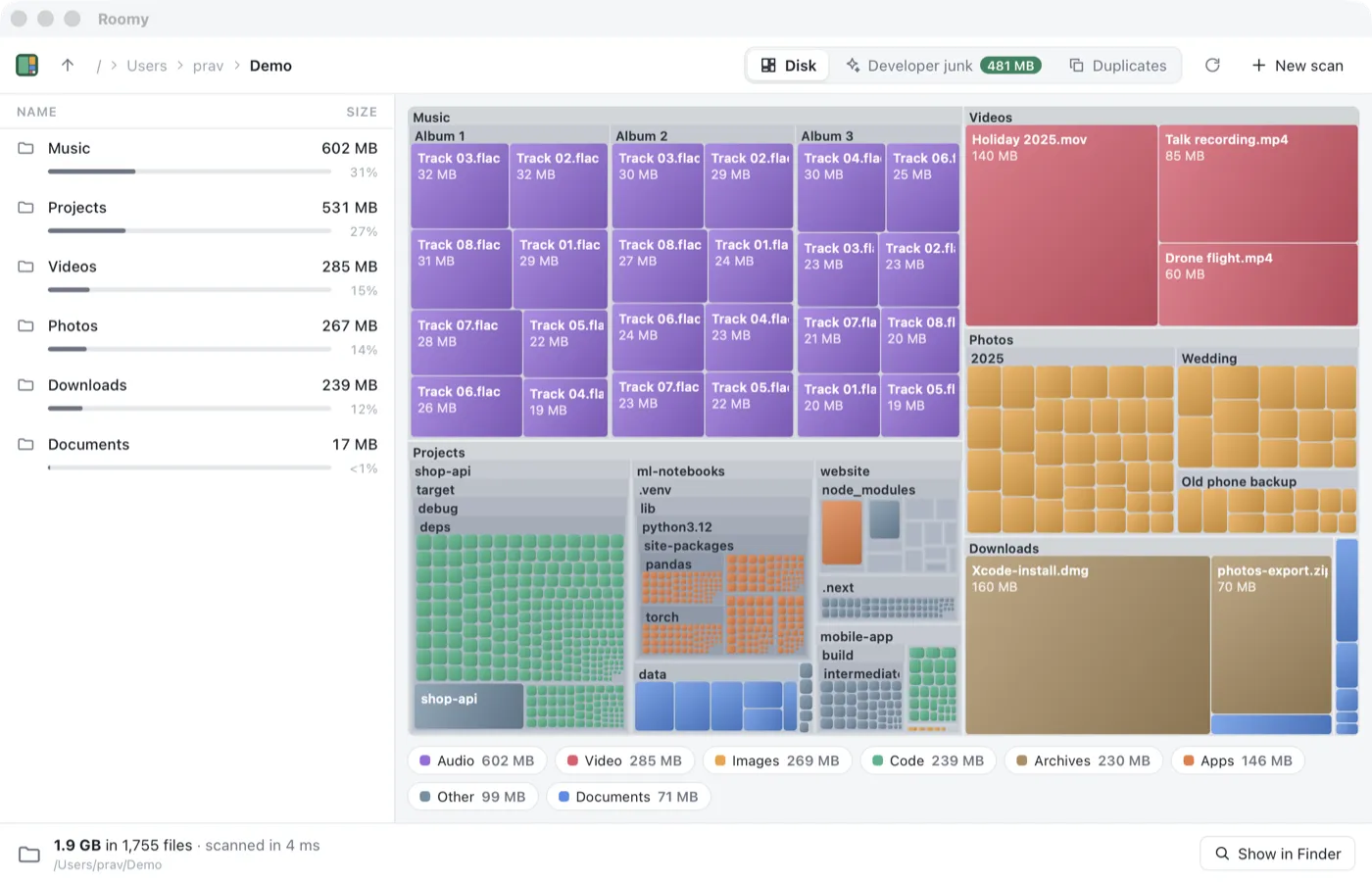
Roomy showing a folder as a treemap, with music, videos, photos, downloads and code projects drawn as coloured blocks sized by how much space they take, and a list of the biggest folders beside it
Why it’s different

What makes Roomy different

Your disk as a map

Every file is a block sized by how much space it takes and coloured by type, so the big things stand out straight away. Double-click a folder to zoom in.

Developer junk

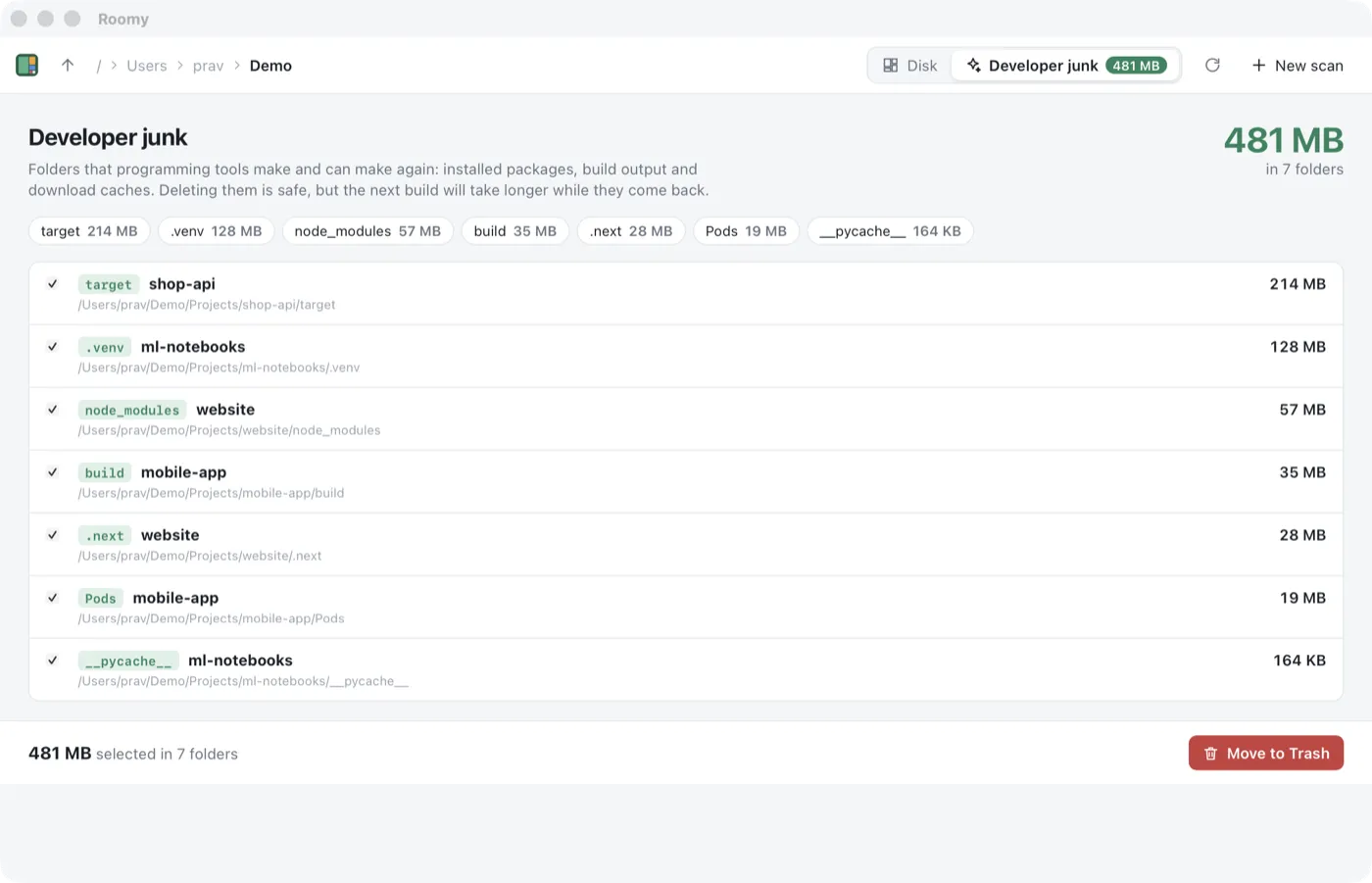
Finds node_modules, target, .venv, build output and package caches that your tools will happily make again, and adds up how much space they take.

Duplicate files

Finds exact copies by comparing sizes, then the start of each file, then a fingerprint of the whole file, so files that only look alike aren't counted.

Deletes safely

Everything goes to the Trash or Recycle Bin, never straight off the disk, so you can change your mind.

Quick

Scans using every core of your computer and shows what it's found while it works.

In the terminal too

The roomy command shows the biggest things in a folder, lists developer junk and finds duplicates, for scripts and servers.

See it

A closer look

Roomy showing a folder as a treemap, with music, videos, photos, downloads and code projects drawn as coloured blocks sized by how much space they take, and a list of the biggest folders beside it
Roomy's Developer junk tab listing 481 MB of target, .venv, node_modules, build, .next, Pods and __pycache__ folders, each ticked and ready to move to the Trash
How it works

Disks fill up quietly. On a computer used for programming, much of that space is folders nobody remembers making: a node_modules for every website you ever tried, a Rust target folder for every project, a Python environment for every notebook. Roomy shows you where the space went and clears the junk in one go.

What it does

Point Roomy at a disk or a folder. It scans using every core of your computer and draws what it finds as a treemap, where each block's size is how much space it takes. The biggest folders are listed beside it, so you can zoom in on the one that's surprisingly large.

The Developer junk tab collects the build folders and caches that programming tools make again whenever they need them. Tick what you want gone and move it to the Trash. The Duplicates tab finds exact copies of the same file, such as the photo you saved three times.

Open source

Roomy's code is on GitHub, along with a tutorial that builds it chapter by chapter, from a first window to installers and automatic updates.

Questions

Asked and answered

Is it really free?

Yes. Roomy is free and open source under the Apache 2.0 licence. There's no paid version, no ads and no account.

Can I install it with a package manager?

On a Mac, brew install --cask pravin/tap/roomy installs the app and brew install pravin/tap/roomy-cli installs the command. On Windows, scoop bucket add pravin https://github.com/pravin/scoop-bucket then scoop install roomy installs the command.

Why does my Mac say it can't open Roomy?

Roomy isn't notarised by Apple yet. Open System Settings, then Privacy & Security, and choose Open Anyway. You only need to do this once.

Will deleting developer junk break my projects?

No. These folders hold things your tools download or build, and they make them again the next time you build. The first build afterwards just takes a little longer.

How do I learn how it was made?

Roomy was written as a 20-chapter tutorial that builds it from an empty folder, and every chapter is on GitHub.

Free download

Roomy

See what's filling your disk, then clear out the build folders and caches your programming tools left behind. Free for Mac, Windows and Linux.

Roomy is made by Pravin Paratey.

Support · More tools