Everyday help · Android

Measured

Your medicine label, big and clear.

Photograph your medicine label. Measured shows it big and clear, reads it aloud, and reminds you when to take it.

Coming soon to Google Play
  • Free
  • No ads
  • No account
  • Never guesses
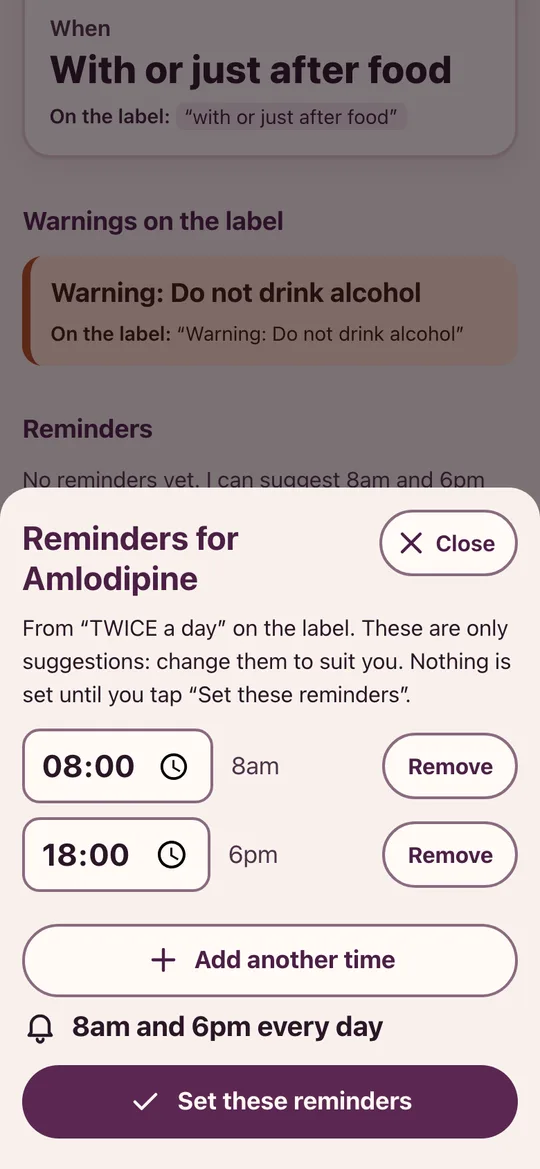
Setting reminders for Amlodipine, with 8am and 6pm suggested and a Set these reminders button
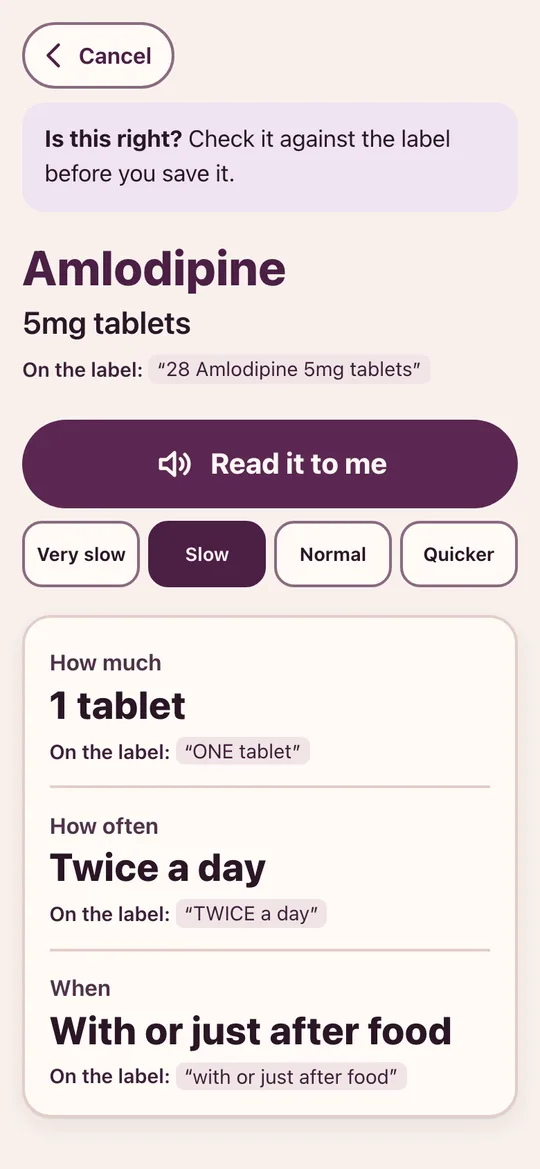
Measured showing Amlodipine 5mg tablets, 1 tablet twice a day with or just after food, each line quoting the label, with a Read it to me button
Why it’s different

Read on your phone, never guessed

Big and plain

The medicine, how much, how often and when, in large type, with the label's own warnings underneath.

Read it to me

Measured reads the card aloud, slowly by default, with the line it's reading highlighted.

Every line from the label

Each part shows the words it came from, and the photo is a tap away, so you can check it.

Never guesses

If it can't read how much to take, it says "I couldn't read how much to take. Check the label or ask your pharmacist." A once-a-week medicine is never turned into a daily one.

Reminders only when you say

From "twice a day" it suggests times for you to change or confirm. Medicines you take when needed get no reminders.

See it

The label, made clear

Measured showing Amlodipine 5mg tablets, 1 tablet twice a day with or just after food, each line quoting the label, with a Read it to me button
Shows its workingHow much, how often and when, each with the words on the label.
Setting reminders for Amlodipine, with 8am and 6pm suggested and a Set these reminders button
Reminders you chooseMeasured suggests times, and nothing is set until you say yes.
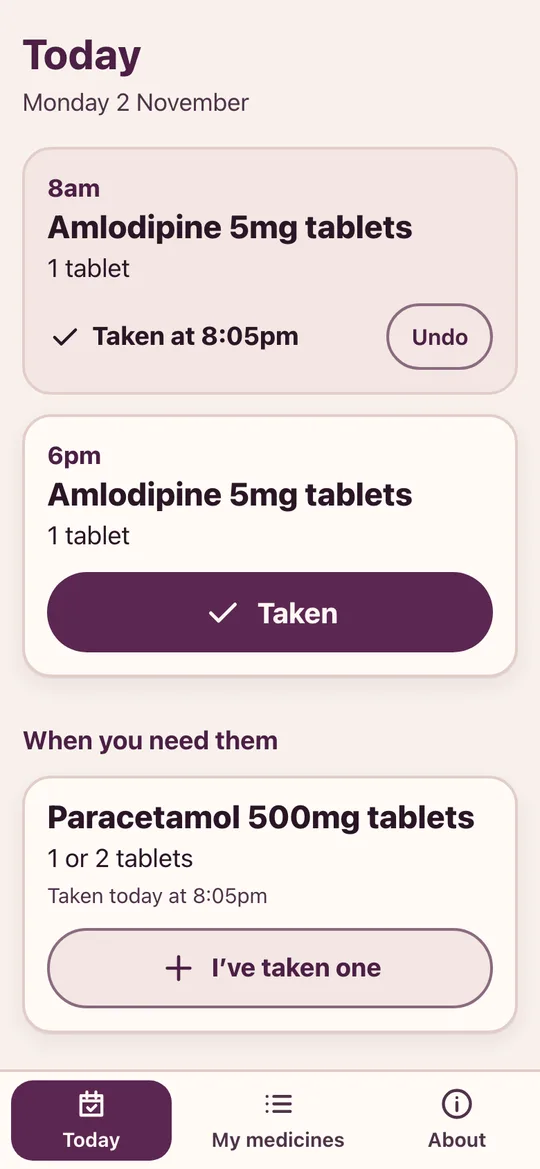
The Today screen, with the 8am dose taken and the 6pm dose still to take, and a paracetamol to take when needed
TodayEach dose with a big Taken button.
How it works

Pharmacy labels are small, crowded and easy to misread, especially for the people taking the most medicines. Measured reads the label for you and shows it as one clear card: the medicine, how much, how often, when, and the warnings, in large type, with the words from the label beside each line.

It reads the card aloud, keeps a simple record of what you've taken today, and reminds you at times you've said yes to. It never guesses: if part of a label can't be read, it says so and shows you the photo.


Getting the most from it

Good to know

  1. Photograph the pharmacy label

    The printed sticker from the pharmacy has your directions. Hold the phone flat and close enough for the label to fill the screen.

  2. Check it against the label

    Measured asks you to check the card before you save it. If anything is wrong, tap "Put something right".

  3. Mark it taken

    Tap Taken on the reminder or in Today. It's just a record for you, kept on your phone.

Questions

Asked and answered

Is Measured free?

Yes. There are no ads and no account.

Are my labels sent anywhere?

No. Labels are read on your phone and stay there. Measured doesn't connect to the internet.

Is it medical advice?

No. Measured reads your label for you. It doesn't replace your pharmacist's advice, and if you're unsure, ask them.

What if it can't read part of the label?

It says so plainly, shows you the photo, and lets you type the directions yourself. It never fills in a dose it couldn't read.

Measured is made by Partech Systems Limited.

Support · More apps