
Reading · Android · iPhone · iPad

Uncrease

By Partech Systems

PDFs, made readable.

Turn PDFs and ebooks into clean text that fits your phone, in your size and theme.

Get it on Google Play Download on the App Store
  • Free
  • No ads
  • No account
  • Reads scanned pages too
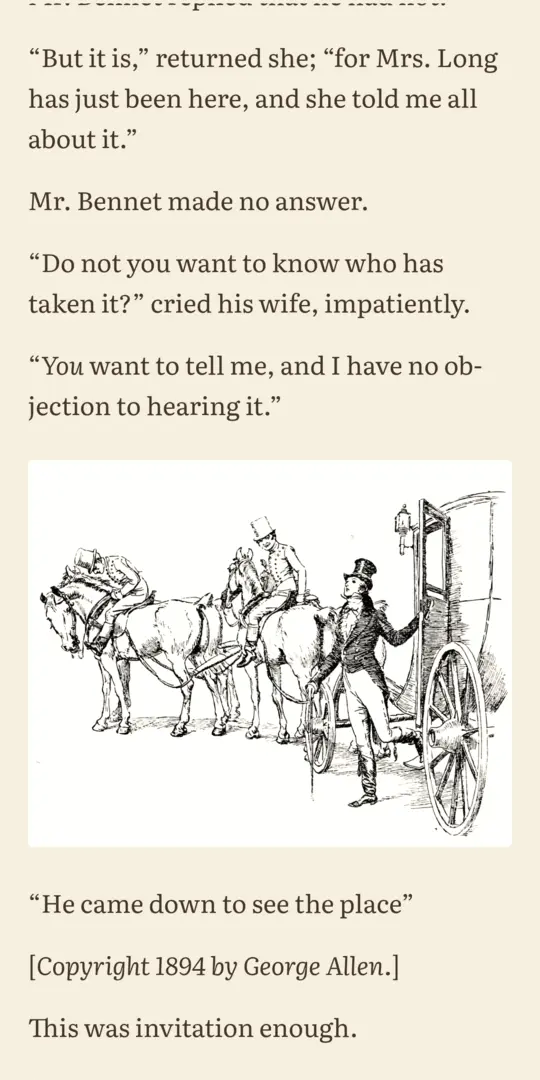
An illustrated page of Pride and Prejudice in the sepia theme, with the picture in place
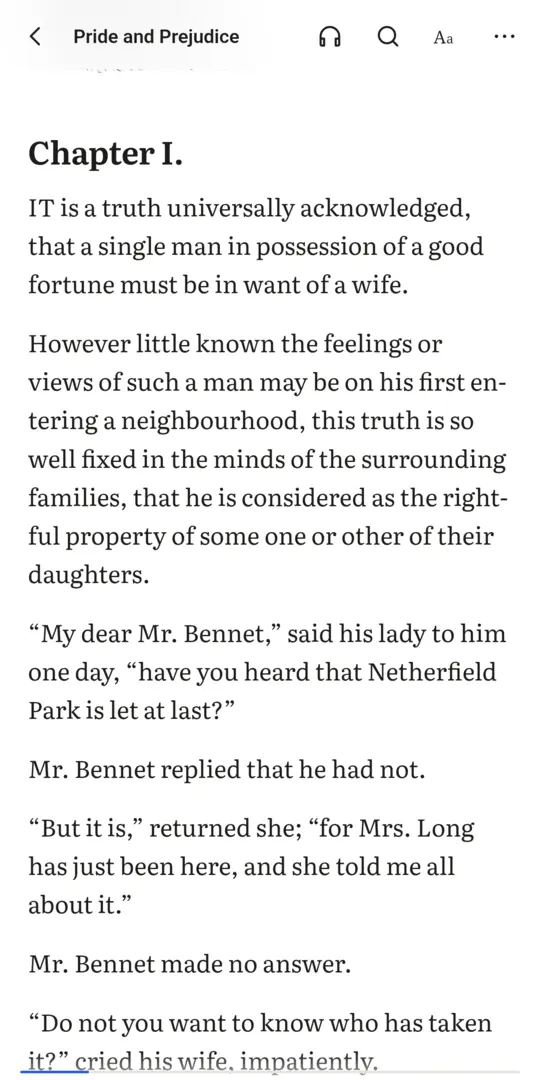
Chapter one of Pride and Prejudice in Uncrease, as clean text sized for a phone
Why it’s different

Any PDF, comfortable on a phone

Your size, your theme

Text size, font, spacing and width, with light, sepia, dark and true black themes.

Figures stay in place

Pictures, tables and equations appear where they belong. Tap one to zoom in.

Scanned pages too

Pages that are only pictures of text are read on the phone and turned into text.

Highlight, search, listen

Highlights and notes, search across your library, and read aloud with the screen off.

Free books and papers

Search Project Gutenberg, arXiv and OAPEN, or add your own OPDS catalog.

Stays on your phone

No account. Your library, highlights and reading never leave your device. Anonymous usage statistics and crash reports help us fix things; turn them off in the Library under ⋯.

See it

Books and papers, made readable

Chapter one of Pride and Prejudice in Uncrease, as clean text sized for a phone
Clean textPride and Prejudice, sized for your phone.
An illustrated page of Pride and Prejudice in the sepia theme, with the picture in place
Pictures in placeAn illustrated page in the sepia theme.
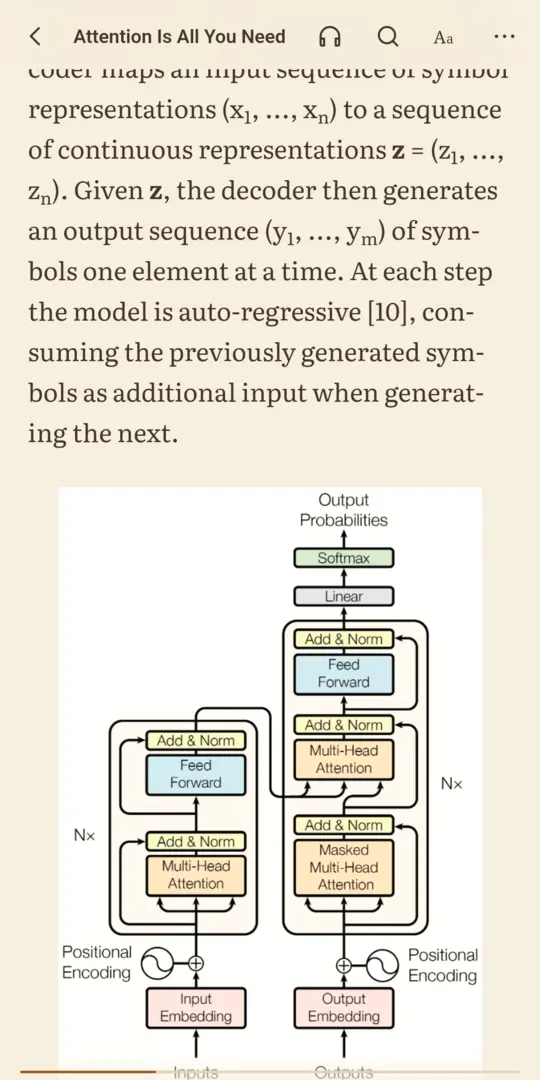
The Transformer diagram from Attention Is All You Need, kept as a figure inside the reflowed paper
Figures keptA paper’s diagram, right where it belongs.
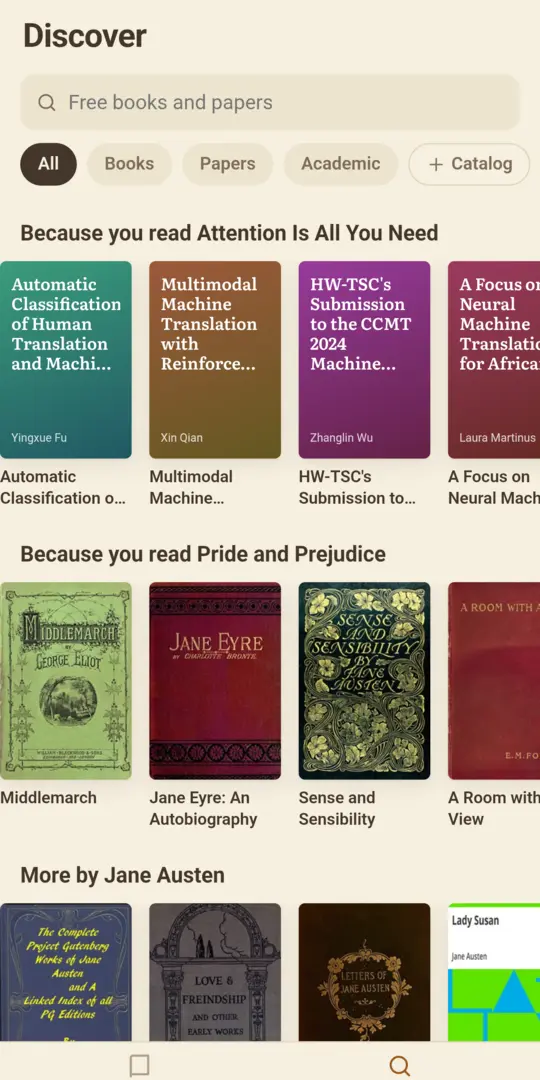
Discover, with books and papers recommended from what's in the library
DiscoverFree books and papers to find.
How it works

PDFs are made for paper. On a phone that means pinching, zooming and scrolling sideways to follow one sentence across two narrow columns. Uncrease reads the PDF and turns it back into text that flows to fit your screen: headings, paragraphs, lists and footnotes, with figures and tables kept where they belong.

Open a PDF or EPUB from Files, share a link from your browser, or find something new in Discover: public-domain classics from Project Gutenberg, research papers from arXiv and open-access books from OAPEN. Recommendations come from what you read, worked out on your phone.

Read by scrolling or by turning pages, look up a footnote without losing your place, and have any book read aloud while you walk.
Getting the most from it

Good to know

  1. Make it yours first

    Set text size, font, spacing and theme once, and every document follows. True black is easiest on the battery at night.

  2. Tap figures and footnotes

    Tap a figure, table or equation to zoom in. Footnotes open where you are, so you don't lose your place.

  3. Save articles from your browser

    Share a link to Uncrease from your browser to save a web article or a PDF to read later.

  4. Scanned books are fine

    Pages that are only pictures of text are read on your phone in the background. You can start reading while they convert.

  5. Listen on the go

    Have any book read aloud with the screen off, at your own pace, with a sleep timer.

Questions

Asked and answered

Is Uncrease free?

Yes. There are no ads and no account.

Are my documents uploaded anywhere?

No. Your library, highlights and notes stay on your device, and scanned pages are read there too. The app only goes online for links you add and for Discover.

What can it open?

PDFs and EPUBs from Files or other apps, and web articles shared from your browser.

Where do the free books come from?

Discover searches Project Gutenberg, arXiv and OAPEN, and you can add your own OPDS catalog, such as a Calibre library.

Does it collect any data?

Anonymous usage statistics and crash reports, never what you read or search for. Turn them off in the Library under ⋯, Share usage statistics.

Uncrease is made by Partech Systems Limited.

Privacy policy · Support · More apps

Find a product