Everyday help · Android

Readout

Small print, big and out loud.

Point your phone at small print. Readout shows it big and reads it aloud.

Coming soon to Google Play
  • Free
  • No ads
  • No account
  • Reads on your phone
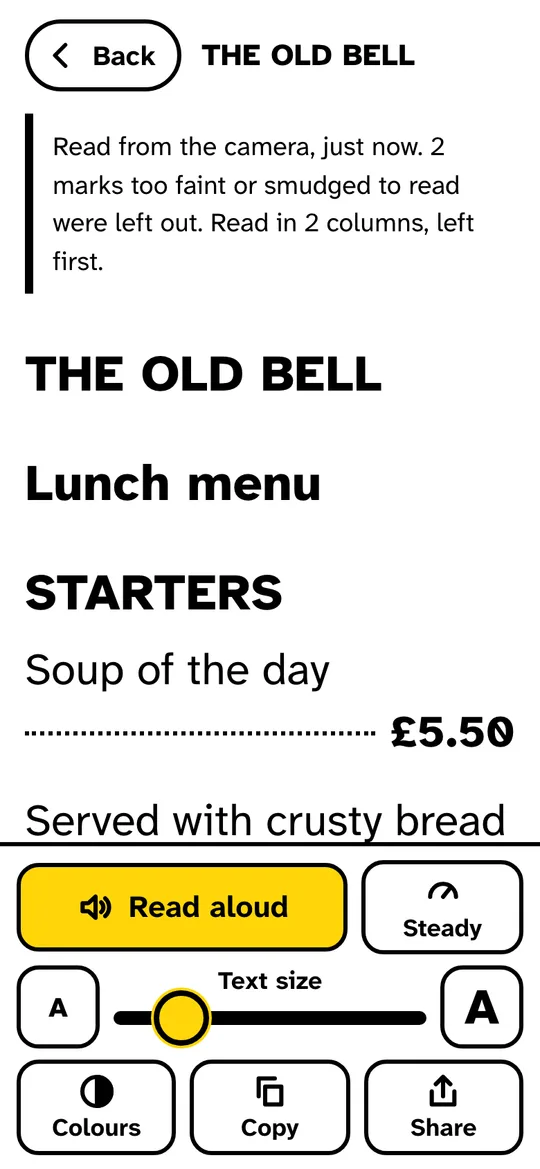
A pub menu read out as large text, with Soup of the day and £5.50 on one line, and buttons for Read aloud, text size, colours, copy and share
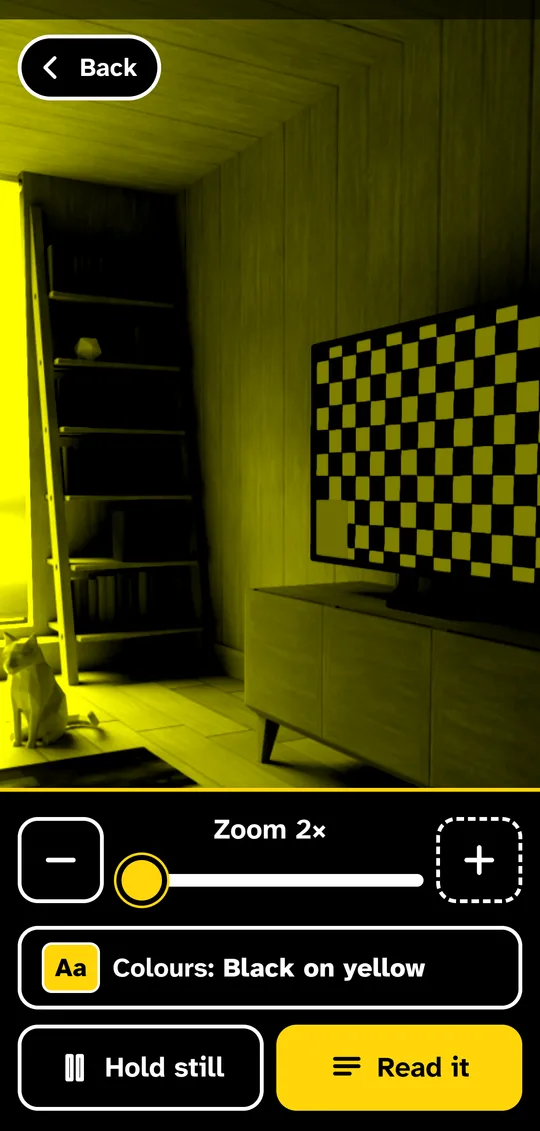
Readout's magnifier showing the camera view in black on yellow, with zoom buttons, a colours button, Hold still and Read it
Why it’s different

Made for eyes that find small print hard

A real magnifier

Zoom, a light, tap to focus, and "Hold still" to freeze what you're looking at.

Colours you can see

Normal, black on yellow, white on black or yellow on black, on the live camera and on the text.

Large print in the right order

Readout lays the words out again, up to very large, keeping columns apart and each price with its item.

Read aloud

Sentence by sentence, with the one being read highlighted. Pause, go back, or tap any sentence to start there.

Big controls with words

Every button is large, says what it does, and sits within reach of one thumb.

See it

From magnifier to large print

Readout's magnifier showing the camera view in black on yellow, with zoom buttons, a colours button, Hold still and Read it
A magnifierZoom, light and black on yellow, live on the camera.
A pub menu read out as large text, with Soup of the day and £5.50 on one line, and buttons for Read aloud, text size, colours, copy and share
In reading orderEach price stays on the line with its dish.
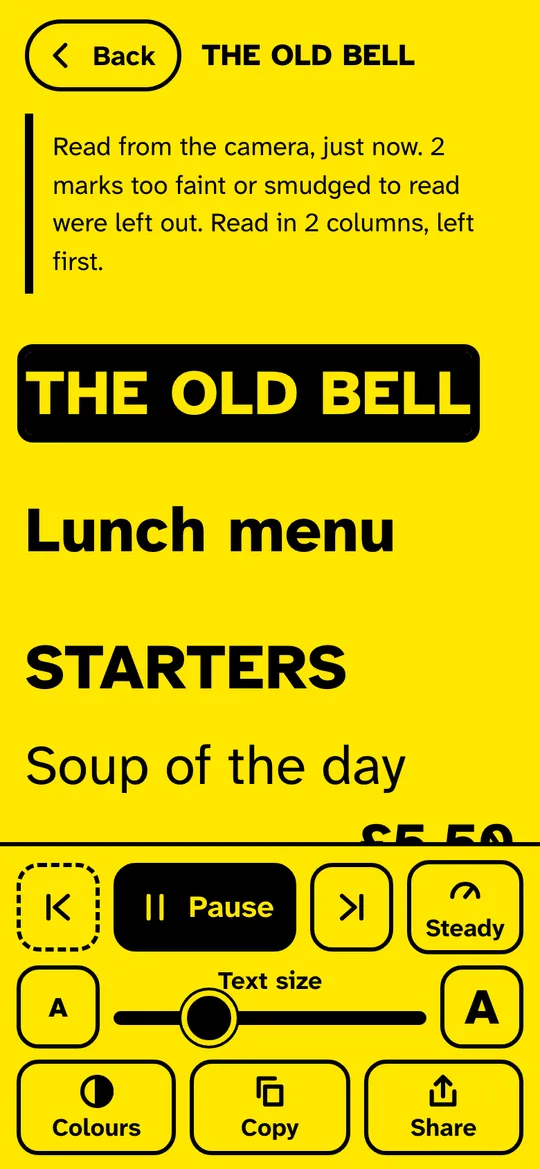
The menu in black on yellow being read aloud, with the title highlighted and Pause, back and forward buttons
Read aloudThe sentence being read is highlighted.
How it works

Menus in dim restaurants, the back of a jar, the small print on a bill: Readout is for everything that's printed too small.

Point your phone at it and Readout works as a magnifier, with zoom, a light and high-contrast colours. Tap Read it and the words come back as large, clear text in the right order, ready to be read aloud a sentence at a time.

Getting the most from it

Good to know

  1. Use Hold still

    Freeze the picture when you've got it, then zoom and read without keeping the phone steady.

  2. Turn the light on

    Restaurants and cupboards are darker than you think. The light makes the words much easier to read.

  3. Check what it read

    Readout says how many marks it couldn't read and how many columns it found. The photo is a tap away, and you can correct any read.

Questions

Asked and answered

Is Readout free?

Yes. There are no ads and no account.

Is what I read sent anywhere?

No. Words are read on your phone. The last 20 reads are kept on your phone so you can go back to them.

Does it work without signal?

Yes. The words are read on your phone, so the magnifier and large print work anywhere.

Readout is made by Partech Systems Limited.

Support · More apps