
Utilities · Mac

Whittle

Smaller photos, nothing hidden.

Shrink photos, and strip the hidden details, before you send them.

Coming soon for Mac
  • Works offline
  • Originals never changed
  • Shows what it removed
Why it’s different

What your photos give away

Shrink for email or the web

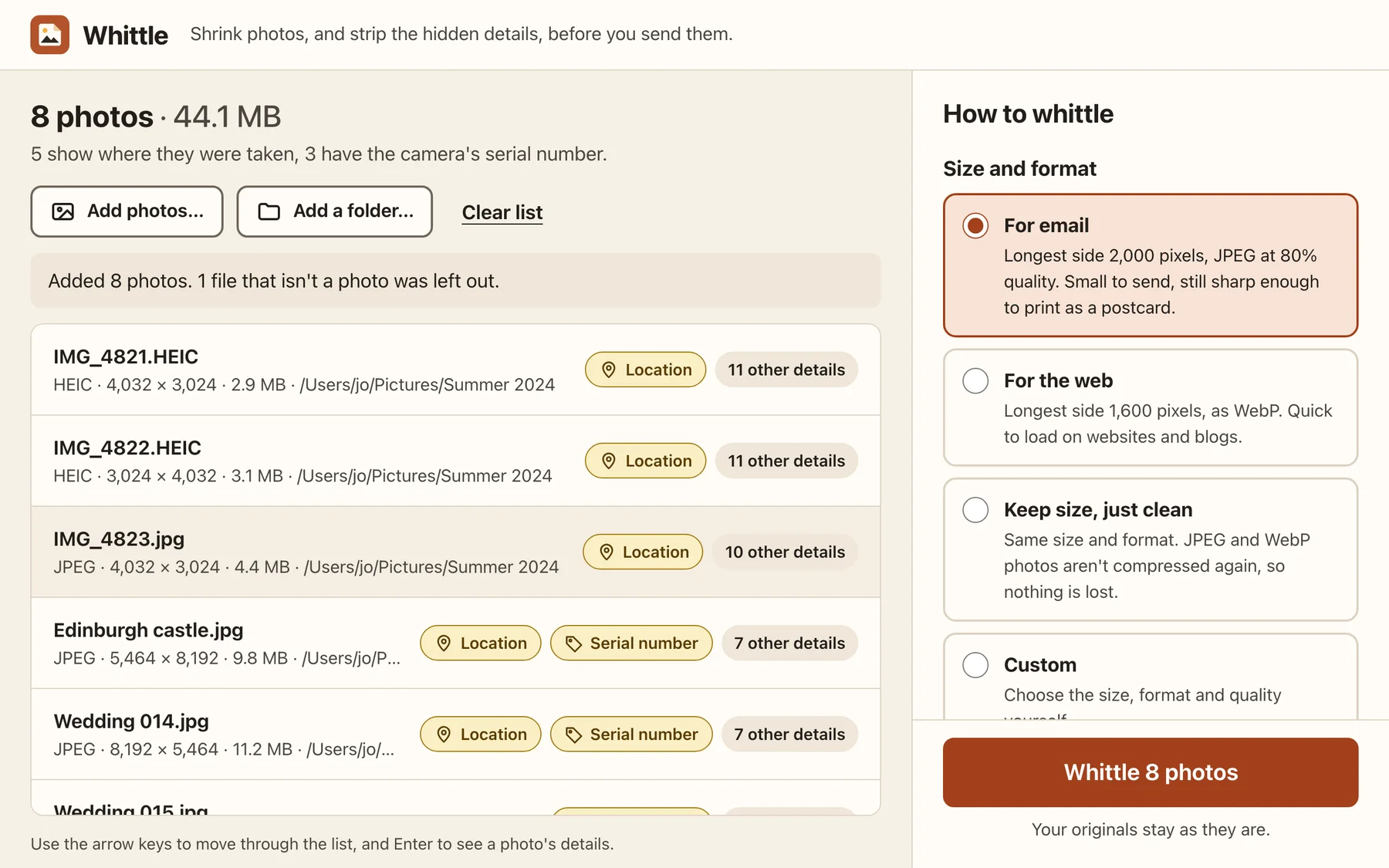
Ready-made sizes for email and for websites, or choose the size, format and quality yourself.

Strip the hidden details

Location, camera and lens serial numbers, owner names, dates, thumbnails and the editing software, all removed.

Right way up, right colours

Whittle turns photos the right way up and keeps their colour profile, so nothing looks different.

Your originals stay as they are

New files go into a Whittled folder next to the photos, or a folder you choose. Nothing is overwritten.

Hundreds at once

Drop in a folder from a holiday or a wedding, and Whittle works through it using every core, with a Stop button.

Start

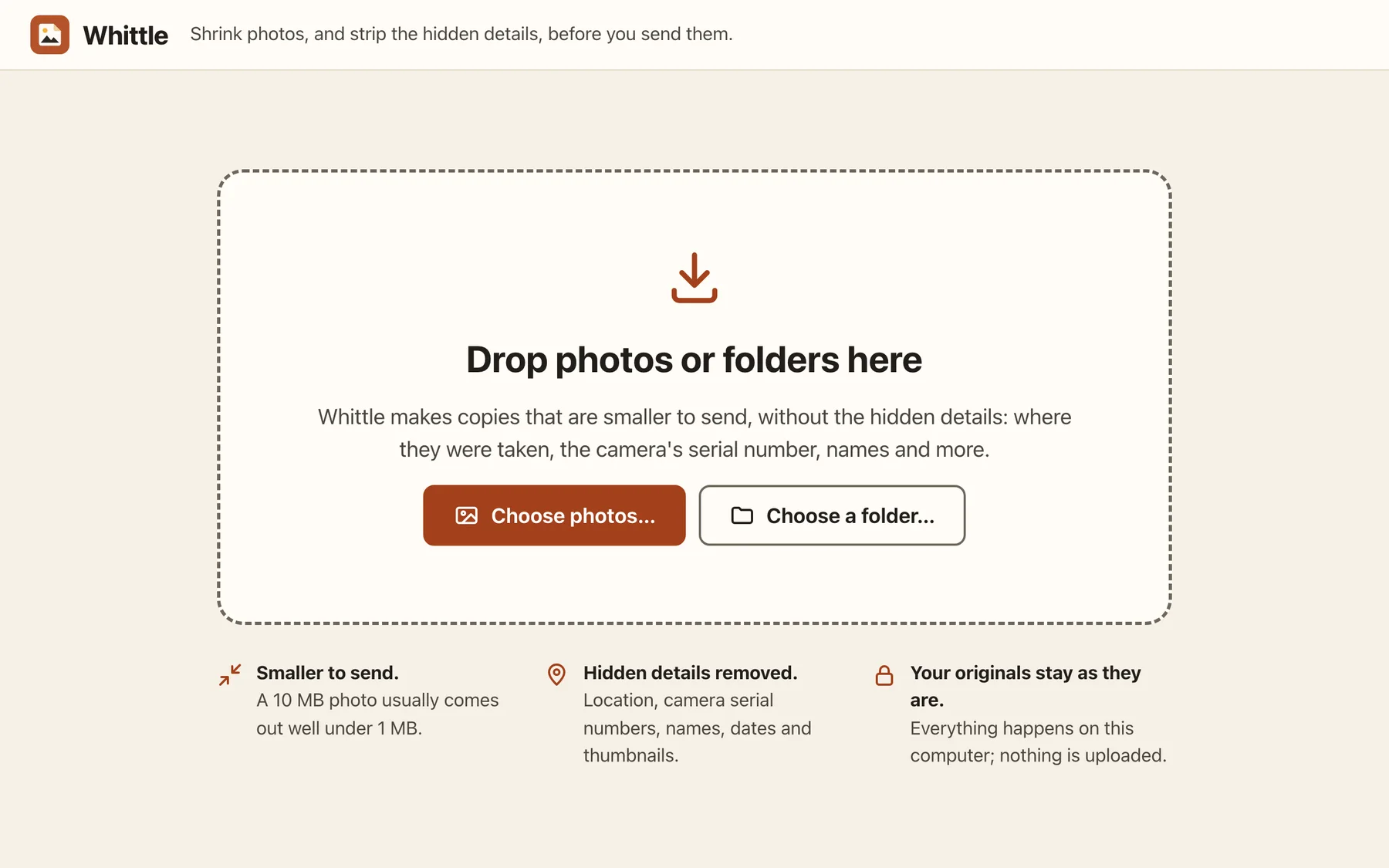
Drop in photos, or a whole folder

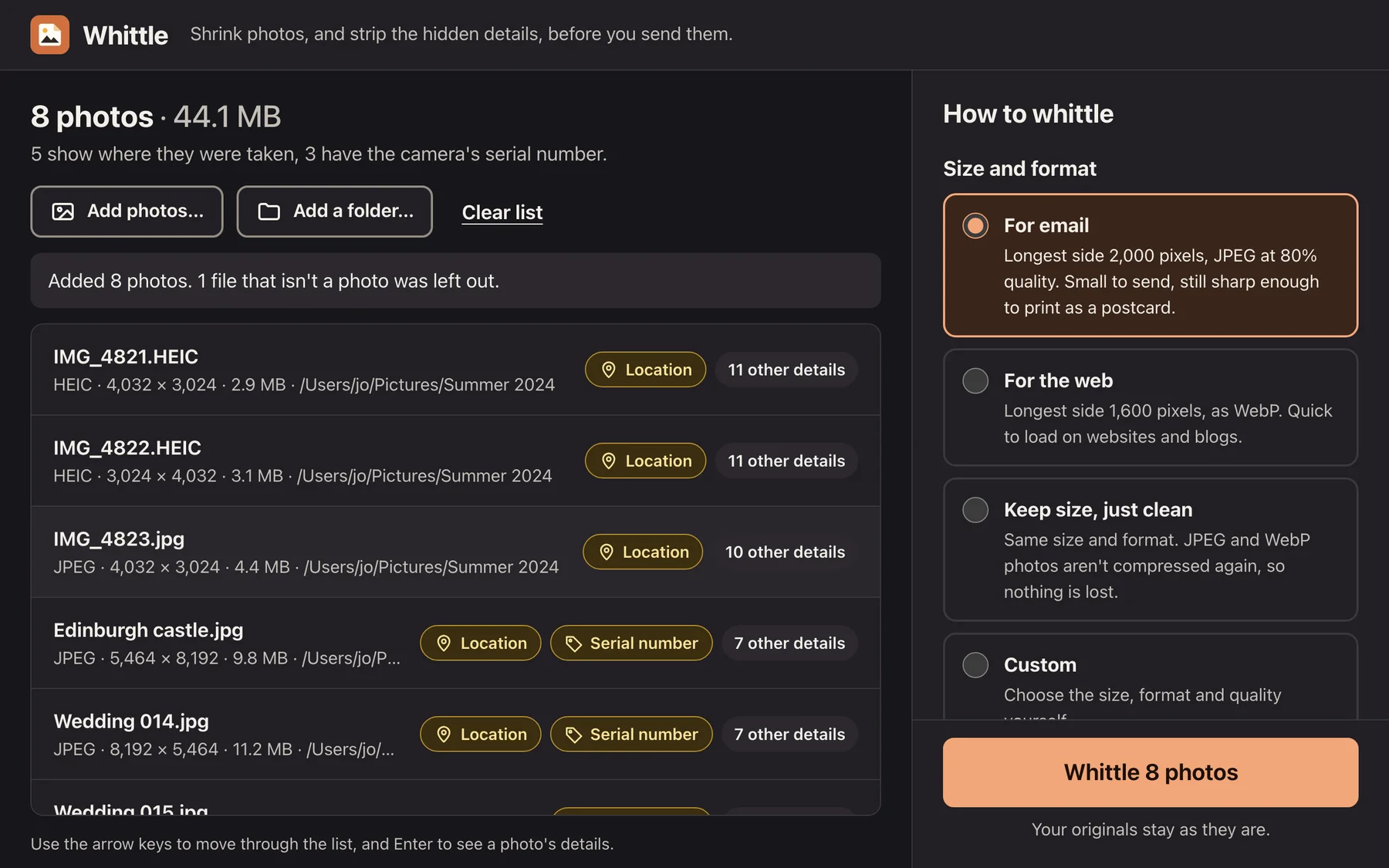
Drag photos or folders onto the window, or choose them. Whittle makes copies that are smaller to send, without the hidden details, and leaves the photos you started with exactly as they are.

Look inside

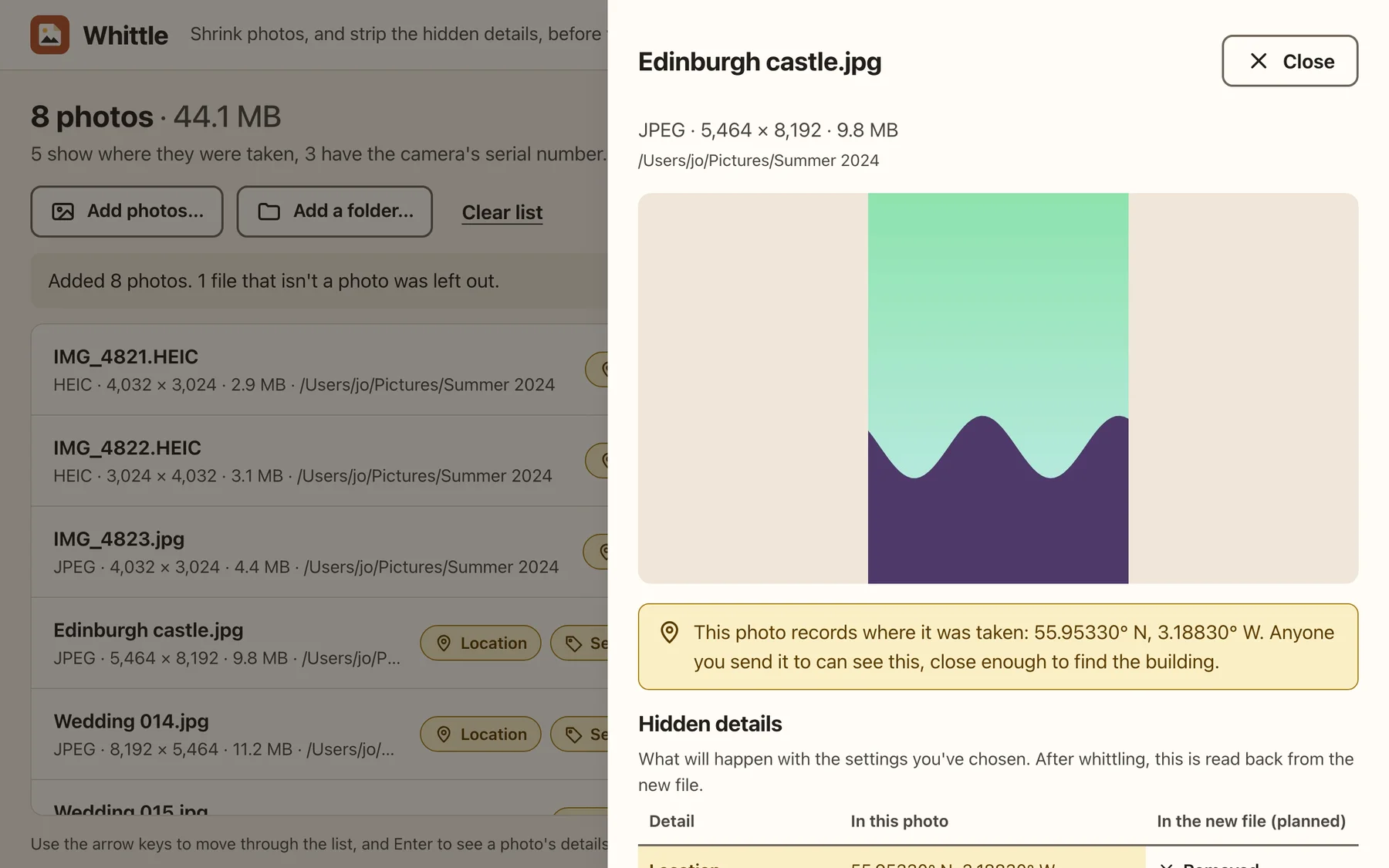
See what a photo gives away

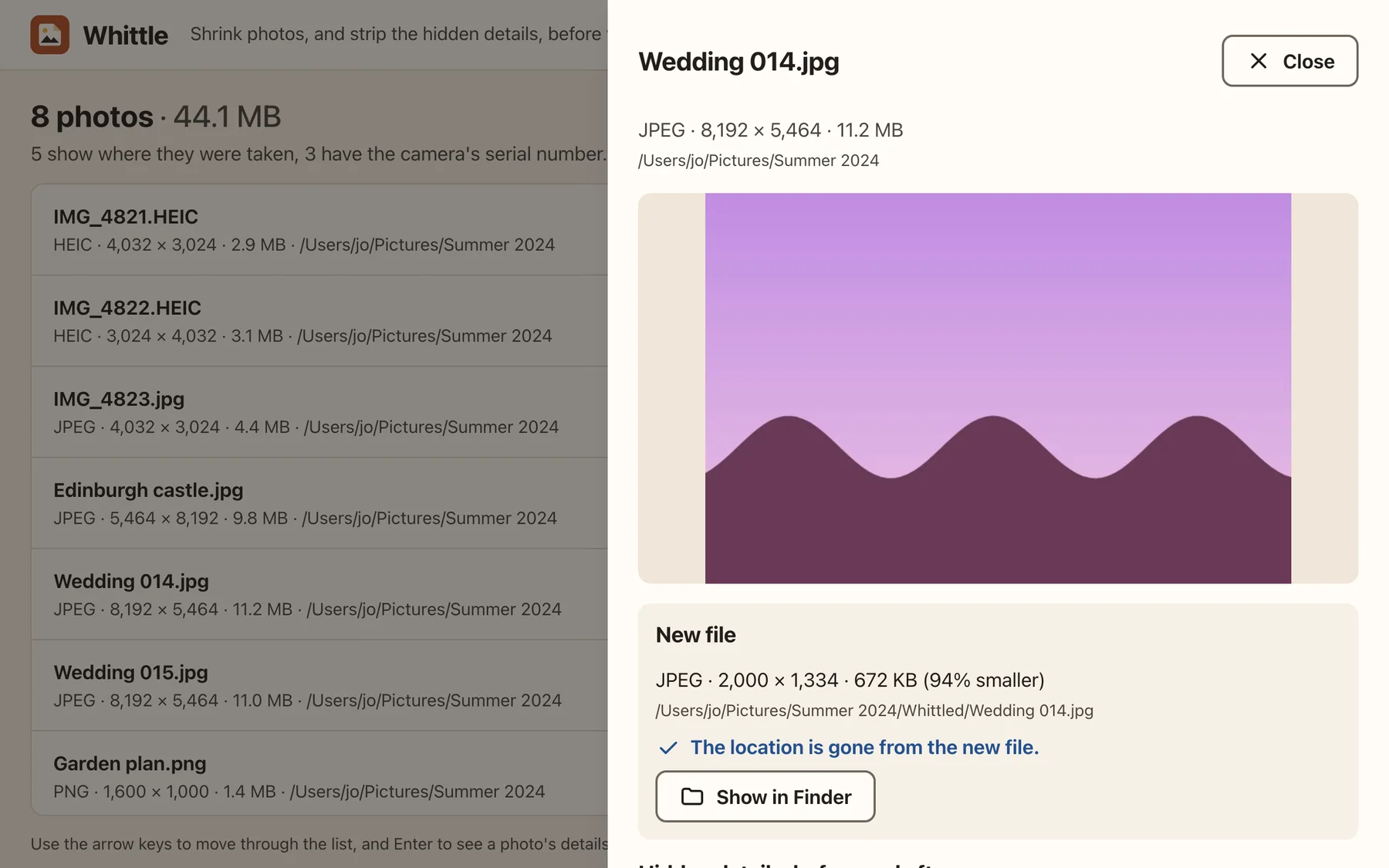
Click any photo to see what it carries. Whittle shows the place it was taken in plain words, and lists every hidden detail beside what will happen to it.

  • Location, with a warning when it's close enough to find the building
  • Camera and lens serial numbers, owner names, dates and software
  • Thumbnails and the maker's own notes
Hundreds at once

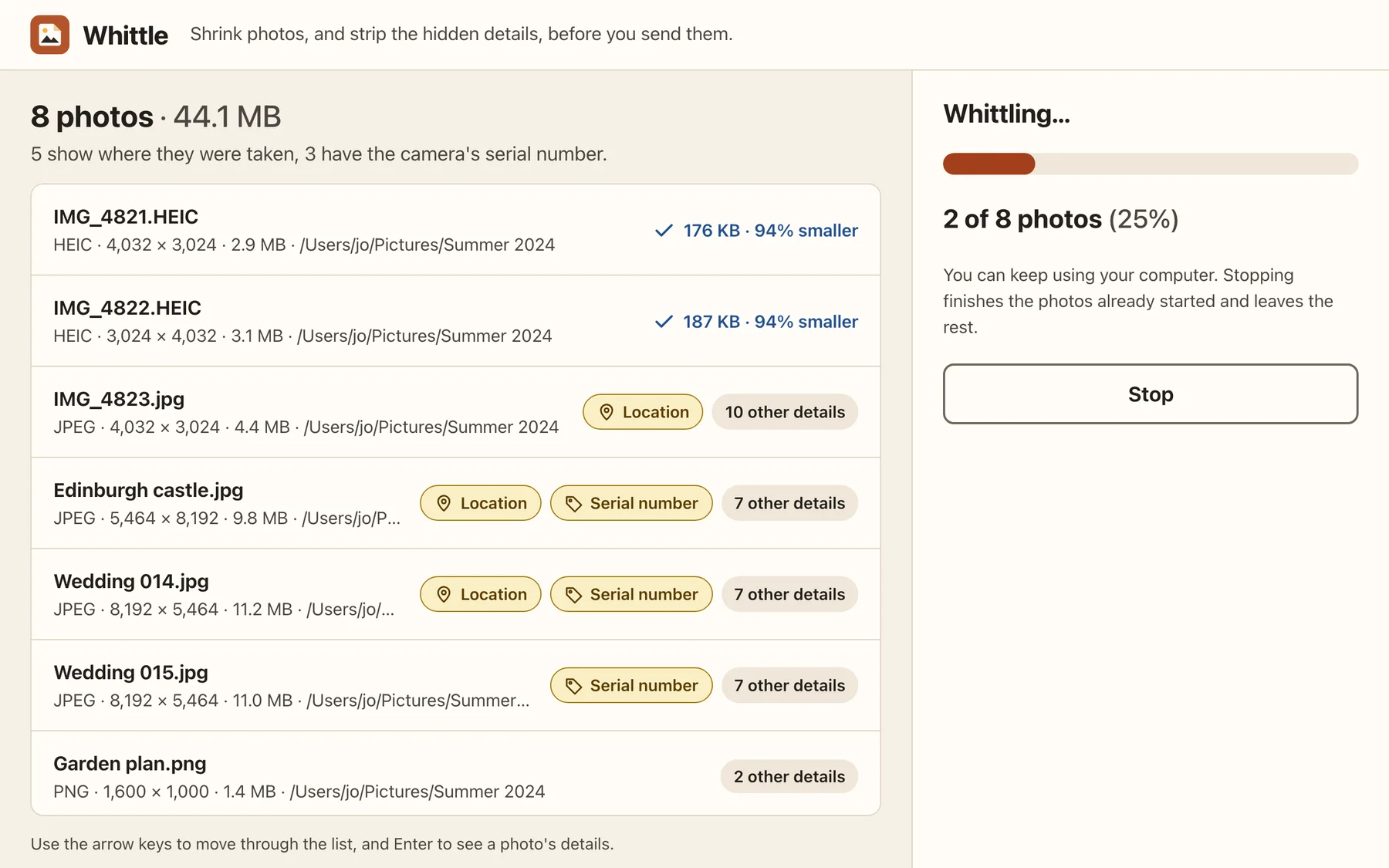
Whittle a whole holiday

Whittle works through a folder using every core of your computer, with progress as it goes. You can keep using your computer, and Stop finishes the photos already started.

Checked

Proof it worked

After whittling, Whittle reads each new file back rather than assuming. Open any photo to see its new size and that the location is gone.

Done

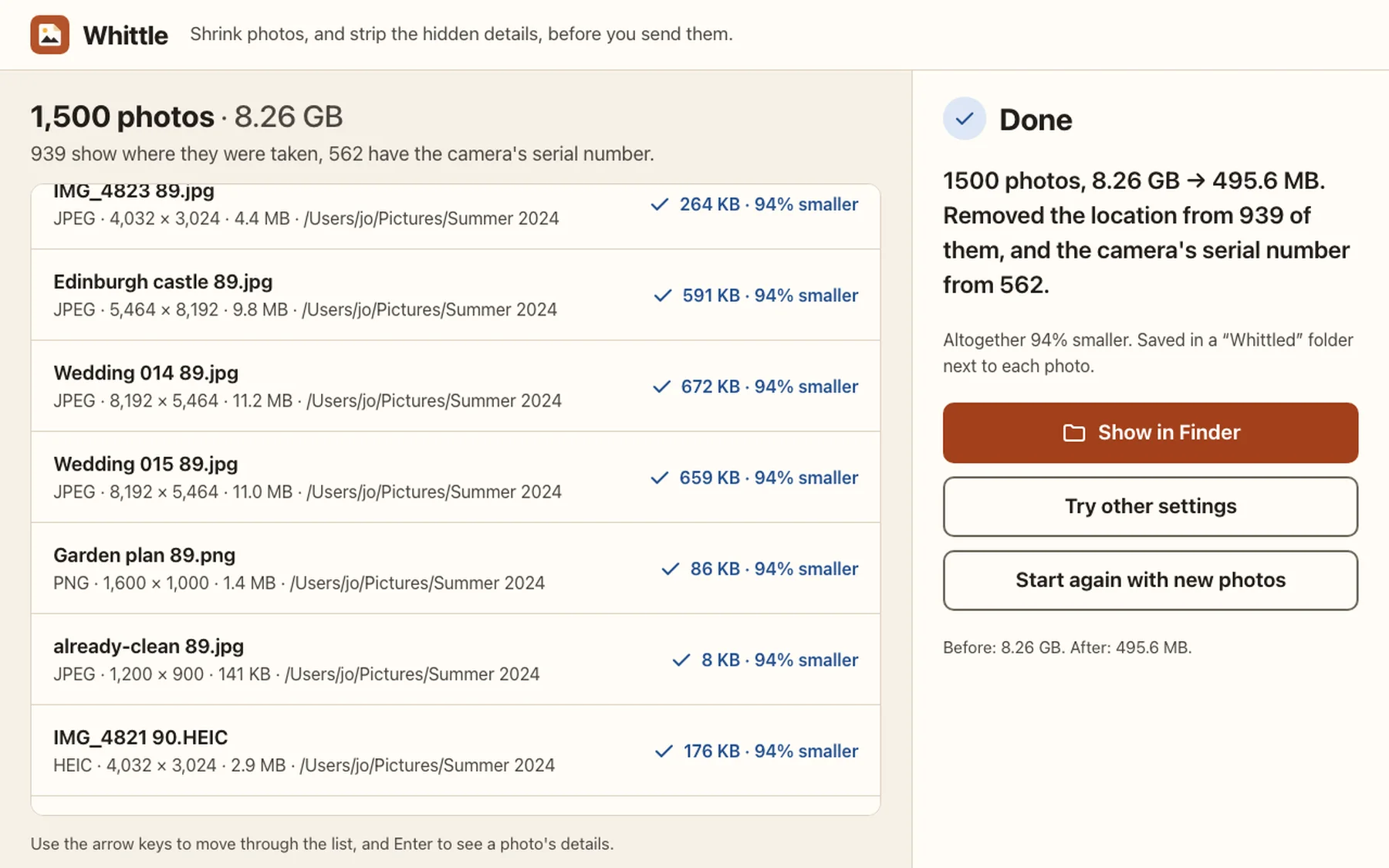
One plain sentence at the end

How much smaller your photos are, and exactly what was removed. The new copies are in a Whittled folder next to the originals.

Light and dark

Follows your computer

Whittle matches your computer's light or dark appearance, and every part of it can be used from the keyboard.

How it works

Photos carry more than the picture. Most phones and cameras record where a photo was taken, the camera's serial number, the date and sometimes your name, and all of it goes with the photo when you send it.

Whittle shows you what each photo is carrying, then makes new copies that are small enough to email or put online, with the hidden details removed. It tells you in one sentence what it did, and reads the new files back to prove it.

Getting the most from it

Good to know

  1. Look before you send

    Click a photo to see what's hidden in it before you whittle it, and what's left afterwards.

  2. Keep what you need

    Choose to keep the date a photo was taken, or your name and copyright, if you want them in the new file.

  3. iPhone photos

    HEIC photos from an iPhone are turned into JPEGs on a Mac.

Questions

Asked and answered

Are my photos uploaded?

No. Whittle works entirely on your computer and doesn't need the internet.

Will it change my original photos?

No. It always writes new files, and never replaces the ones you started with.

Which formats does it read?

JPEG, PNG, WebP, GIF, TIFF, and HEIC on a Mac. It writes JPEG, WebP or PNG.

Whittle is made by Partech Systems Limited.

Support · More tools