Everyday help · Android

Blanks

Paper forms, one question at a time.

Photograph a paper form. Blanks asks you one question at a time, then fills it in for you.

Coming soon to Google Play
  • Free
  • No ads
  • No account
  • Forms stay on your phone
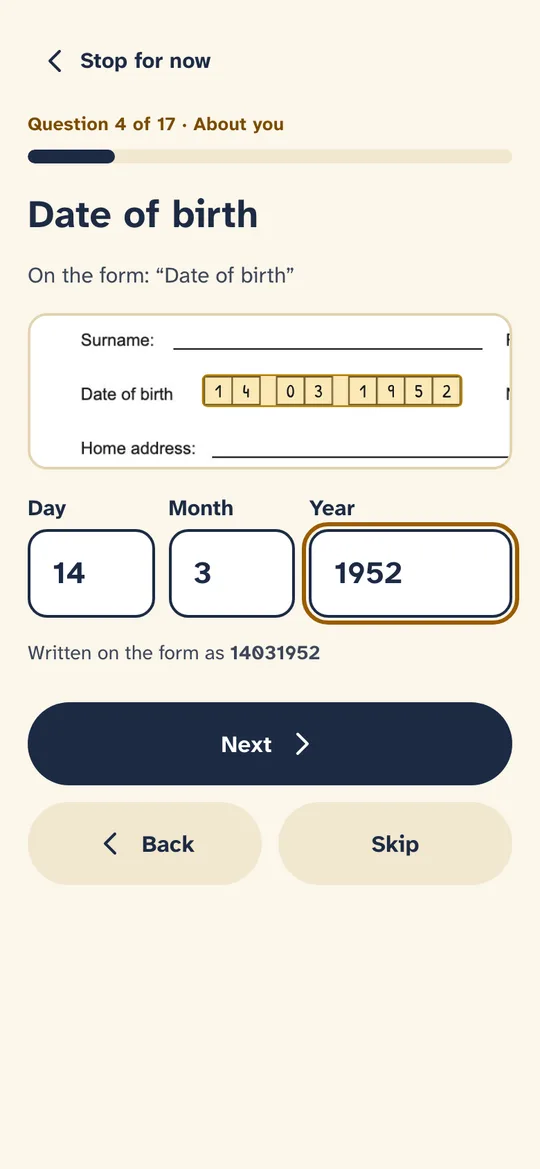
The date of birth question, quoting the form, with a picture of the boxes on the form and Day, Month and Year boxes to fill in
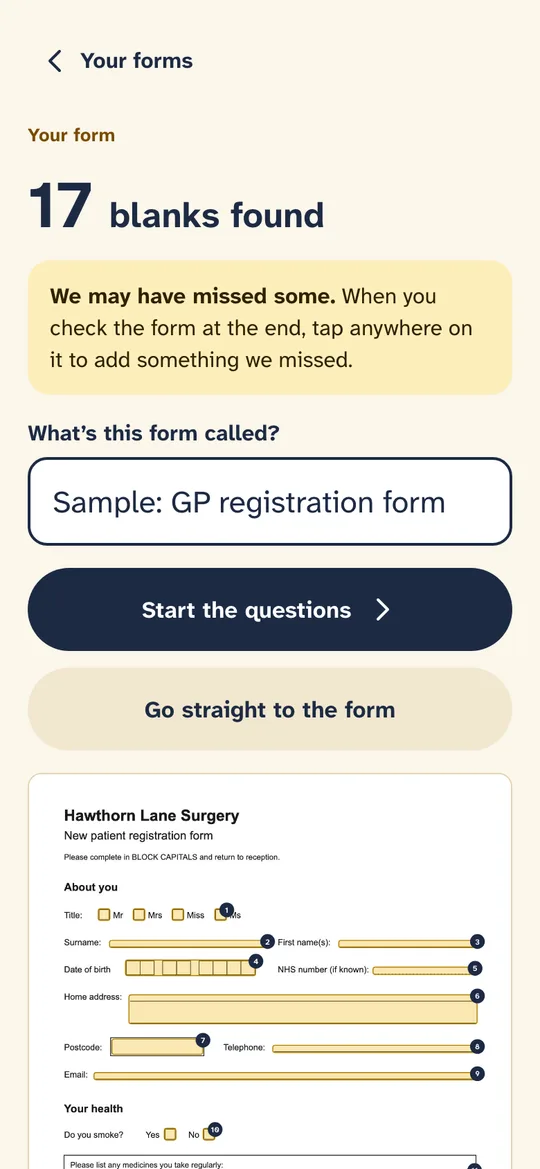
Blanks after reading a GP registration form, saying 17 blanks found, with Start the questions and Go straight to the form
Why it’s different

For anyone who dreads forms

Photograph it

Scan the form with the phone's document scanner, take a photo, or open a PDF or picture you already have.

Finds the blanks

Lines, boxes, tick boxes and rows of letter boxes, each with the words printed beside it.

Plain questions

One at a time, in big type, with the right keyboard, Day, Month and Year boxes for dates, and big Yes and No buttons.

Your details, if you want

Your name, address and phone number can be kept on your phone for next time, only if you say yes.

Sign with your finger

Sign on the screen, or skip it and sign the printed form with a pen.

See it

From photo to filled-in form

Blanks after reading a GP registration form, saying 17 blanks found, with Start the questions and Go straight to the form
The blanks, foundBlanks says how many it found, and that it may have missed some.
The date of birth question, quoting the form, with a picture of the boxes on the form and Day, Month and Year boxes to fill in
One question at a timeThe printed words, and a picture of where the answer goes.
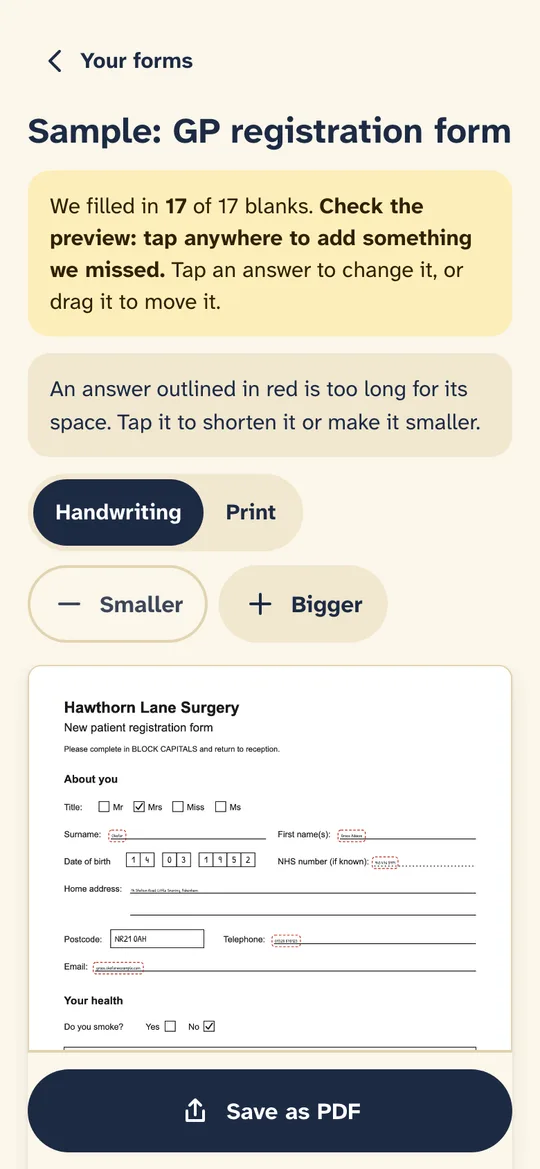
The filled-in GP registration form, with buttons for handwriting or print, smaller or bigger, and Save as PDF
Check, then saveTap any answer to change it, or tap anywhere to add one.
How it works

GP registration, school trips, council forms, permission slips: paper forms still turn up everywhere, and most of them are a chore. Blanks makes them a short conversation instead.

Photograph the form and Blanks finds the spaces to fill in. It asks you each question in plain words, one at a time, then writes your answers neatly in the right places, sized to fit. Check the preview, change anything, and save it as a PDF to print or send.


Getting the most from it

Good to know

  1. Flat and bright

    Lay the form flat in good light. The document scanner straightens the page for you.

  2. Check the preview

    Blanks may miss a blank. Tap anywhere on the preview to add something, and drag any answer to move it.

  3. Print or send

    Save as PDF, then print it, email it or upload it wherever the form needs to go.

Questions

Asked and answered

Is Blanks free?

Yes. There are no ads and no account.

Are my forms sent anywhere?

No. Forms are read on your phone and stay there until you delete them.

What if it misses a blank?

Tap anywhere on the preview to add words or a signature there.

Blanks is made by Partech Systems Limited.

Support · More apps