Arcade · Android

Yell Hop

By Partech Systems

The louder you yell, the further it jumps.

Talk to walk. Yell to hop. Get the frog across the pond.

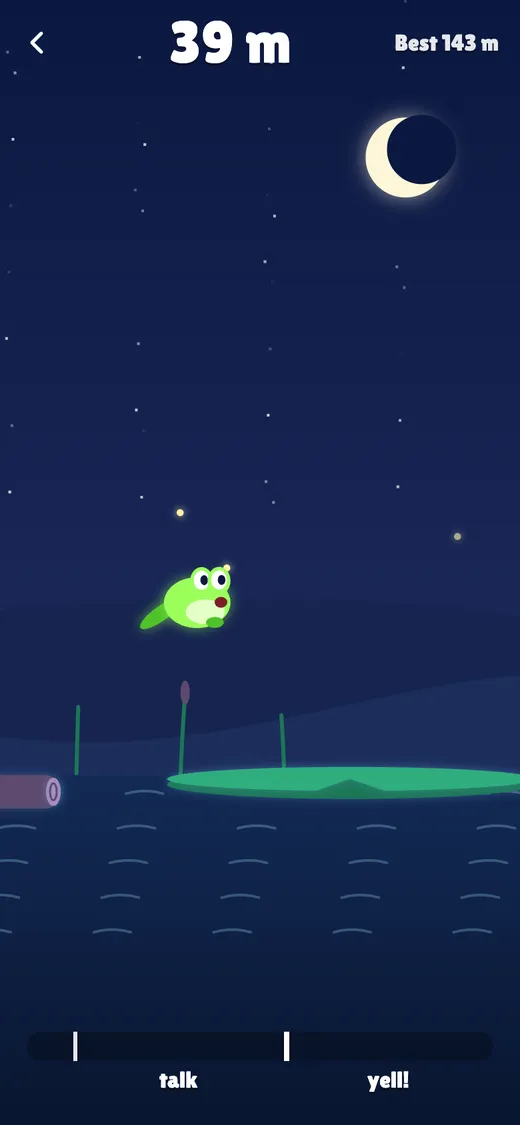
Yell Hop in the Night look, a glowing frog hopping under a crescent moon
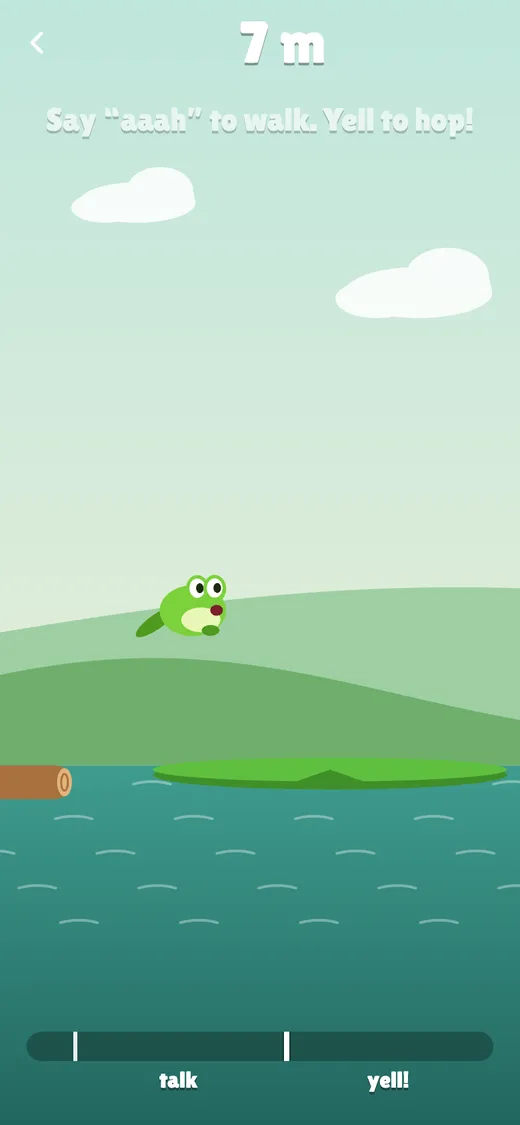
Yell Hop in the Pond look, the frog mid-hop between lily pads, with the voice meter at the bottom
Why it’s different

What makes Yell Hop different

Your voice is the controller

Talk softly and the frog walks. Yell and it hops. A meter shows how loud you are.

Touch mode

Somewhere quiet? Hold Walk, then hold Hop and let go. The longer you hold, the further it jumps.

Every gap can be cleared

The pond goes on forever and gets harder, but no jump ever needs a perfect yell.

Three looks

A sunny pond, a starry night or cut paper. Switch any time in Settings.

See it

A closer look

Yell Hop in the Pond look, the frog mid-hop between lily pads, with the voice meter at the bottom
Yell Hop in the Night look, a glowing frog hopping under a crescent moon
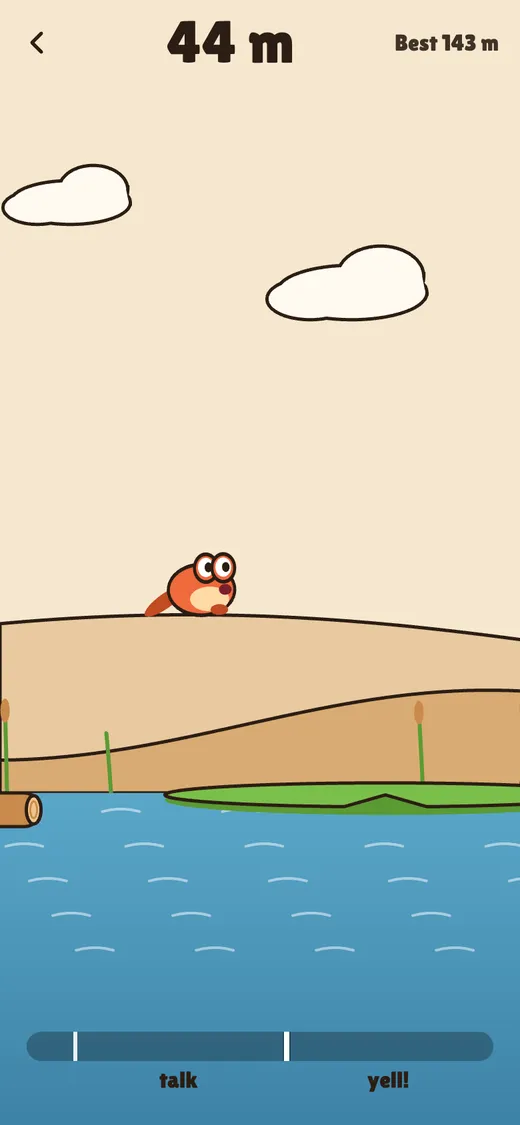
Yell Hop in the Paper look, an orange cut-paper frog hopping
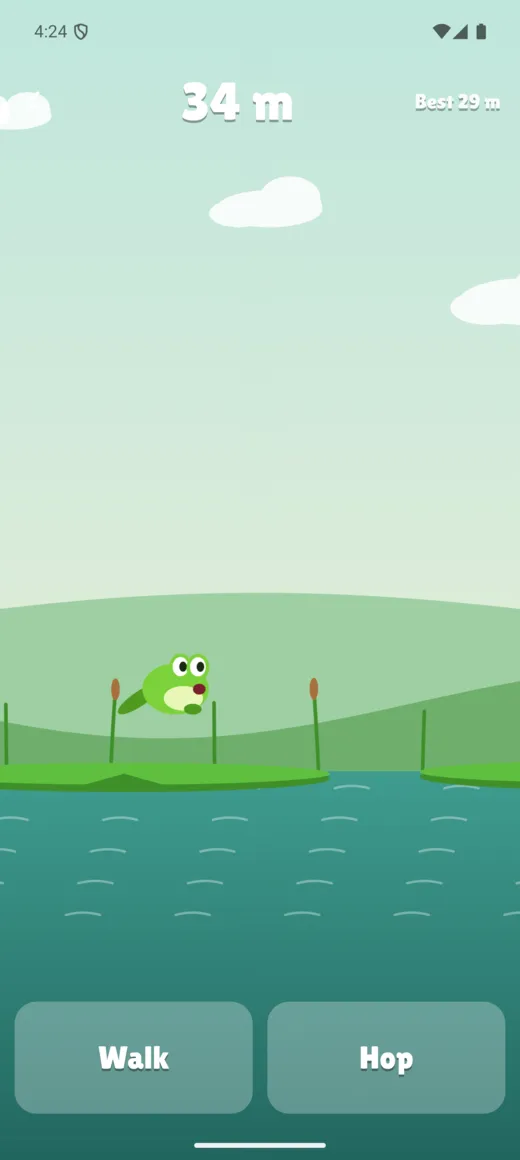
Yell Hop in touch mode, with Walk and Hop buttons
How it plays

Yell Hop is a game you play with your voice. Say "aaah" and the frog walks along its lily pad. Yell, and it hops. The louder you yell, the higher and further it goes.

The pond is made of lily pads, floating logs, rocks and tree stumps, and it gets trickier the further you go: wider gaps, smaller pads and taller stumps. Fall in and you can watch a short ad to keep going, or start again.

The microphone is only used to measure how loud you are while you play. Nothing is recorded or sent anywhere. Somewhere you can't shout? Switch to touch mode. The game is free and supported by ads.


Tips

How to play well

  1. Hush while it listens

    When the microphone starts, the game listens to the room for about a second. Stay quiet so it learns your background noise rather than your voice.

  2. Walk to the edge first

    Go quiet and the frog stands still. Talk it up to the end of the pad before you yell, because every gap is set so a hop from there can clear it.

  3. Make the yell sudden

    The hop's power is set the moment your voice crosses the hop line on the meter, with only a split second after to add more. A short, sharp shout goes further than one that slowly builds.

  4. Go quiet as you land

    The frog only hops again after you've gone quiet. Keep yelling and it lands running at full speed, which can carry it straight off the far edge.

  5. You don't need full power

    No gap needs a full yell, and a frog that lands just below a taller pad's top scrambles up. In touch mode the Hop button fills in under a second, and you never need it completely full.

Questions

Asked and answered

Is Yell Hop free, and what ads does it show?

It's free and supported by ads. There are no banner ads and no ads during a run. A full-screen ad can appear when you leave the end-of-game screen, from your tenth game on, at most once every ten games and at least five minutes apart. If you fall in after 20 metres, you can choose to watch an ad to keep going, once per game.

Is my voice recorded?

No. The microphone only measures how loud you are, on your device, a fraction of a second at a time. Nothing is recorded, saved or sent. It's only on while you play in voice mode and stops when you go back to the menu or switch away.

Can I play without the microphone?

Yes. Choose Touch on the main menu. Hold Walk to move, then hold Hop and let go, and the longer you hold the further it jumps. If microphone access is off, the game switches to touch for you.

Why is there no sound in voice mode?

So the game's own sounds can't set off a hop. You still feel vibration, and the Sound setting applies in touch mode.

Is the pond the same every time?

No. Each game builds a new pond, and it gets harder as you go, with wider gaps, smaller pads and taller stumps, up to about 700 metres.

Where is my progress saved?

Your best distance, control mode and settings are stored only on your device. There's no account, so they don't move between devices.

Yell Hop is made by Partech Systems Limited.

Privacy policy · Support · More games

Find a product